Party App
This section explains how to configure the Party App on Azure. To do so, perform the following:
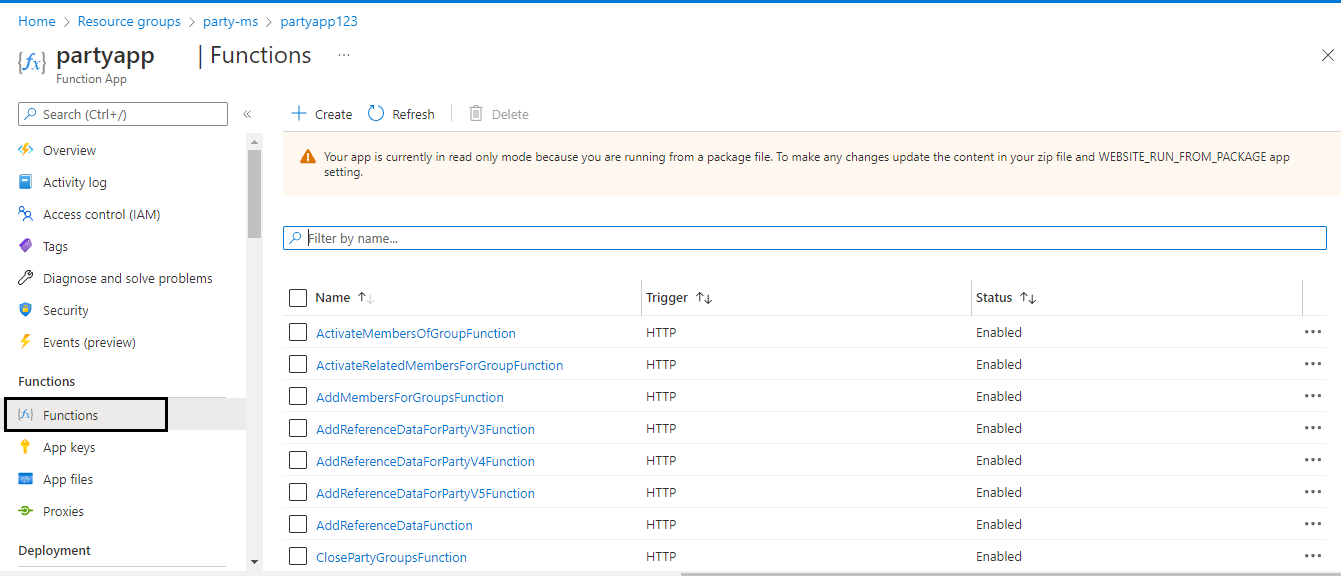
Navigate to partyapp.
By default, partyapp is configured in Azure cloud. Ensure to navigate to the respective app based on current deployment.
Configurations
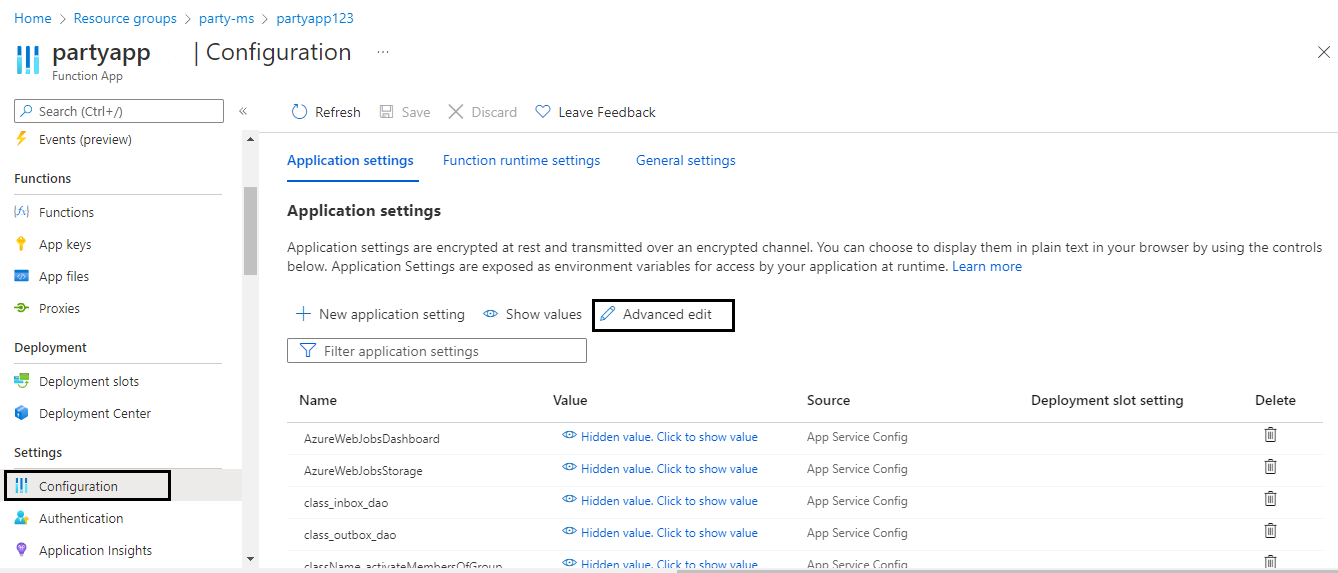
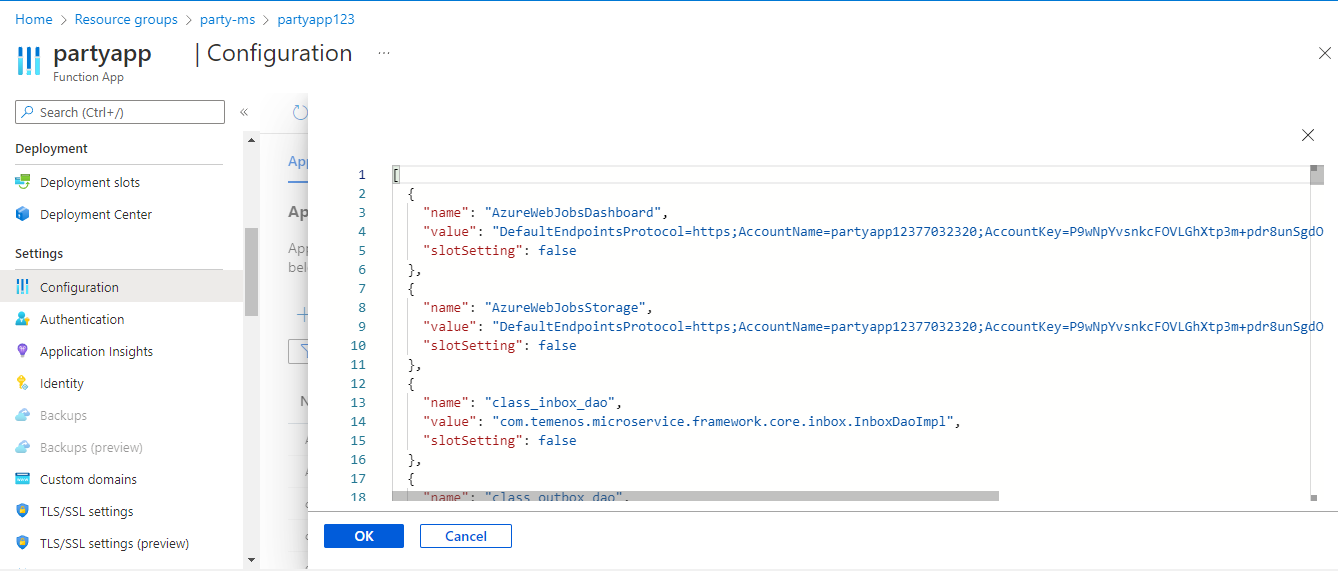
Below are the configuration properties.
| PROPERTY | DEFAULT VALUE | DESCRIPTION | AZURE CONFIGURATIONS |
|---|---|---|---|
| RESOURCE_GROUP_NAME | party-ms | Env specific resource name can be appended | Resource Group Name |
| Groups all the function app and configuration of the deployment | |||
| APP_NAME | partyapp | Env specific app name can be appended | Function App |
| Function app for api created in azure, if App name is changed, then rename the folder in this path ms-party-package-azure-<version>\ms-party-azure\target\azure-functions | |||
| LOCATION | uksouth | location of azure account | Location of Azure account |
| DISABLE_INBOX | TRUE | Enable or disable inbox outbox. If the property disabled , an event will be raised to the "ms-party-outbox" EventHub. | tem_msf_disableInbox |
| EventHub Propeties: | |||
| EVENT_HUB_NAME_SPACE | partykafkaapp | Kafka Event Hub Server Creation | EventHub Namespace |
| As per EVENT_HUB_NAME_SPACE defined in Party | |||
| eg: partykafkaapp | |||
| Note: If the eventhubnamespace already created, set the property with the created namespace value. | |||
| The below three properties KAFKA_SERVER, eventHubConnection & temn_msf_stream_kafka_sasl_jaas_config will be configured through the script. | |||
| Note: If the values are known to the user, it can be overridden in the script. | |||
| KAFKA_SERVER | ${EVENT_HUB_NAME_SPACE}.servicebus.windows.net:9093 | Hostname of the eventHubnamespace. | temn_msf_stream_kafka_bootstrap_servers |
| eg: partykafkaapp.servicebus.windows.net:9093 | |||
| eventHubConnection | <Value> | Kafka Connection string | |
| SASL_JASS_CONFIG | {org.apache.kafka.common.security.plain.PlainLoginModule required username=\"\$ConnectionString\" password=\"${eventHubConnection}\";} | Property to stream or read the data from Event Hub Kafka | temn_msf_stream_kafka_sasl_jaas_config |
| Security Related Properties: | |||
| AUTHZ_ENABLED | FALSE | Enable/Disable the XACML policy authorization. | temn_msf_security_authz_enabled |
| XACML policy authorization is used to configure security policies and access rights to information for APIs. | |||
| PDP_CONFIG_FILE | classpath:xacml/pdp-config.xml | Mapping the PDP-callback configuration file available in the classpath. | PDP_CONFIG |
| XAML Config file path needs to be set in the property. | |||
| PDP_RESOURCE_TYPE | API | The value that is set in the XAML config file needs to be provided. | temn_msf_pdp_resource_type |
| Resource type is used to identify the policy set in the XAML config. | |||
| PDP_RESOURCE_MANAGER | PARTY | The value that is set in the XAML config file needs to be provided. | temn_msf_pdp_resource_manager |
| Resource Manager is used to identify the policy set in the XAML config. | |||
| temn_entitlement_service_enabled | "false" | Enable/Disable the entitlement service. | temn_entitlement_service_enabled |
| If the property is enabled, the roles and permissions needed for the authentication will be taken from the entitlement microservices. | |||
| MS_SECURITY_TOEKN_CHECK_ENABLED | N | Enable/Disable the JWT validation. By default, JWT token check is enabled. | ms_security_tokencheck_enabled |
| JWT validation is used to validate the custom and mandatory claims from the provided token. | |||
| ID_TOKEN_SIGNED | "true" | Signed token used for fabric | ID_TOKEN_SIGNED |
| JWT_TOKEN_ISSUER | Fabric | Identifies the issuer of the authentication token. | JWT_TOKEN_ISSUER |
| JWT_TOKEN_PRINCIPAL_CLAIM | sub | Indicates the claim in which the user principal is provided. | JWT_TOKEN_PRINCIPAL_CLAIM |
| JWT_TOKEN_PUBLIC_KEY | <JWT Token Value> | Indicates Base64 encoded public key content that can be directly loaded as a public key certificate. | JWT_TOKEN_PUBLIC_KEY |
In this topic